เอกสารนี้อธิบายวิธีติดตั้งใช้งาน XProf ในการตั้งค่าแบบกระจายใน Kubernetes โดยใช้การติดตั้งใช้งานแยกกันสำหรับ Worker และ Aggregator
ข้อกำหนดเบื้องต้น
- คลัสเตอร์ Kubernetes ในบทแนะนำนี้ เราจะใช้ minikube เพื่อการตั้งค่าขั้นต่ำ
- อิมเมจ Docker ของ XProf ดูวิธีการสร้างได้ที่การสร้างอิมเมจ Docker ของ XProf
การกำหนดค่า Kubernetes
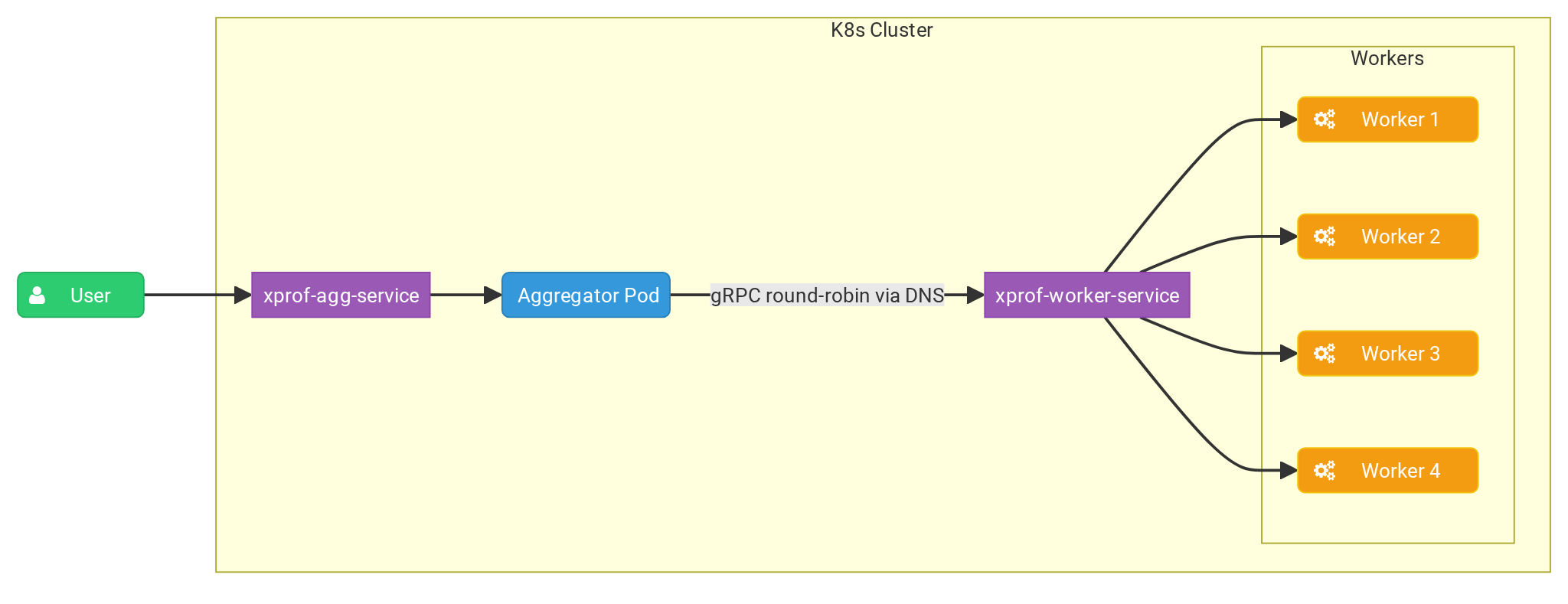
การกำหนดค่า YAML ต่อไปนี้จะกำหนดการทำให้ Kubernetes ใช้งานได้และบริการสำหรับ ผู้ปฏิบัติงาน XProf และตัวรวบรวม
การติดตั้งใช้งาน Aggregator จะเรียกใช้สำเนาเดียวที่รับคำขอของผู้ใช้และ
กระจายงานการสร้างโปรไฟล์ไปยังสำเนาของ Worker โดยใช้นโยบาย Round Robin
โดยแฟล็ก --worker_service_address จะกำหนดค่าตัวรวบรวมให้ส่งคำขอ
ไปยังบริการสำหรับผู้ปฏิบัติงาน
การติดตั้งใช้งาน Worker จะเรียกใช้แบบจำลองหลายรายการ ซึ่งแต่ละรายการจะเปิดเผยพอร์ต gRPC ผ่านแฟล็ก
--grpc_port เพื่อรอรับฟังงานประมวลผลจาก Aggregator
ผู้รวบรวมข้อมูล
ก่อนอื่นมาสร้างไฟล์ agg.yaml แล้ววางเนื้อหาต่อไปนี้
apiVersion: apps/v1
kind: Deployment
metadata:
  name: xprof-aggregator-deployment
  labels:
    app: xprof-aggregator-app
spec:
  replicas: 1
  selector:
    matchLabels:
      app: xprof-aggregator-app
  template:
    metadata:
      labels:
        app: xprof-aggregator-app
    spec:
      containers:
      - name: aggregator-container
        image: xprof:2.21.3
        imagePullPolicy: Never
        env:
        - name: GRPC_LB_POLICY
          value: "round_robin"
        - name: GRPC_DNS_RESOLVER
          value: "native"
        args:
          - "--port=10000"
          - "--worker_service_address=dns:///xprof-worker-service.default.svc.cluster.local:8891"
          - "-gp=50051"
          - "--hide_capture_profile_button"
        ports:
        - containerPort: 10000

---
apiVersion: v1
kind: Service
metadata:
  name: xprof-agg-service
  labels:
    app: xprof-aggregator-app
spec:
  selector:
    app: xprof-aggregator-app
  type: NodePort
  ports:
  - protocol: TCP
    port: 80
    targetPort: 10000
    nodePort: 30001
ผู้ปฏิบัติงาน
สำหรับ Worker เราจะสร้างไฟล์ worker.yaml ดังนี้
apiVersion: apps/v1
kind: Deployment
metadata:
  name: xprof-worker-deployment
  labels:
    app: xprof-worker-app
spec:
  replicas: 4
  selector:
    matchLabels:
      app: xprof-worker-app
  template:
    metadata:
      labels:
        app: xprof-worker-app
    spec:
      containers:
      - name: worker-container
        image: xprof:2.21.3
        imagePullPolicy: Never
        args:
          - "--port=9999"
          - "-gp=8891"
          - "--hide_capture_profile_button"
        ports:
        - containerPort: 8891

---
apiVersion: v1
kind: Service
metadata:
  name: xprof-worker-service
  labels:
    app: xprof-worker-app
spec:
  selector:
    app: xprof-worker-app
  clusterIP: None
  ports:
  - protocol: TCP
    port: 80
    targetPort: 8891
การตั้งค่า Minikube
หากต้องการติดตั้งใช้งานการตั้งค่า ให้เรียกใช้คำสั่งต่อไปนี้
kubectl apply -f worker.yaml
kubectl apply -f agg.yaml
คุณควรตรวจสอบออบเจ็กต์ที่ติดตั้งใช้งานได้โดยทำดังนี้
kubectl get services
NAME                   TYPE        CLUSTER-IP     EXTERNAL-IP   PORT(S)          AGE
kubernetes             ClusterIP   10.96.0.1      <none>        443/TCP          13h
xprof-agg-service      NodePort    10.96.13.172   <none>        8080:30001/TCP   13h
xprof-worker-service   ClusterIP   None           <none>        80/TCP           13h
ตอนนี้มาเชื่อมต่อกับผู้รวบรวมข้อมูลกัน
minikube service xprof-agg-service --url
http://127.0.0.1:50609
❗  Because you are using a Docker driver on darwin, the terminal needs to be open to run it.
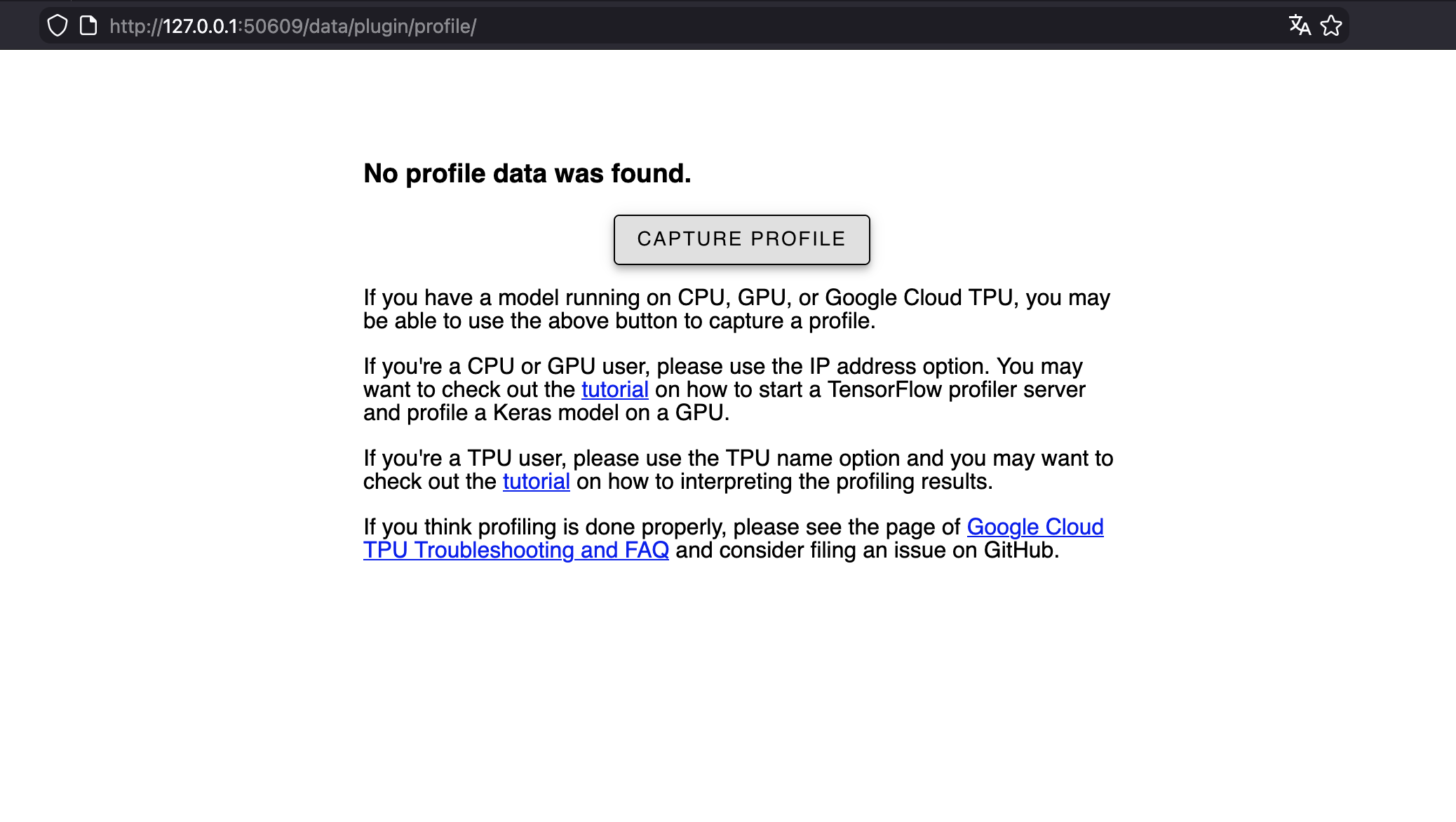
ตอนนี้คุณเข้าถึงได้ในเบราว์เซอร์โดยทำดังนี้