This document describes how to deploy XProf in a distributed setup on Kubernetes, using separate deployments for workers and an aggregator.
Prerequisites
- A Kubernetes cluster. For a minimal setup in this tutorial we're using minikube.
- A Docker image of XProf. See Building an XProf Docker Image for instructions on how to build one.
Kubernetes Configuration
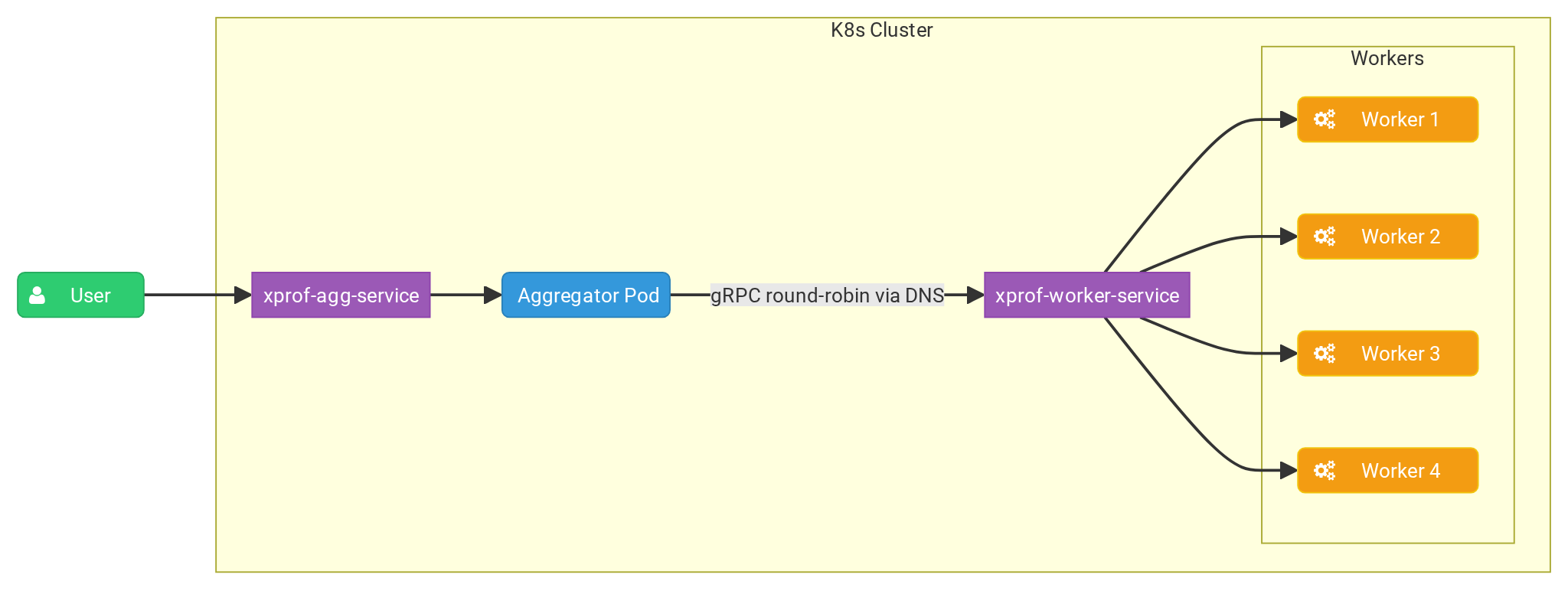
The following YAML configurations define Kubernetes deployments and services for XProf workers and an aggregator.
The aggregator deployment runs a single replica that receives user requests and
distributes profiling tasks to the worker replicas using a round-robin policy.
The --worker_service_address flag configures the aggregator to send requests
to the worker service.
The worker deployment runs multiple replicas, each exposing a gRPC port via the
--grpc_port flag to listen for processing tasks from the aggregator.
Aggregator
First let's create agg.yaml file and paste the contents:
apiVersion: apps/v1
kind: Deployment
metadata:
  name: xprof-aggregator-deployment
  labels:
    app: xprof-aggregator-app
spec:
  replicas: 1
  selector:
    matchLabels:
      app: xprof-aggregator-app
  template:
    metadata:
      labels:
        app: xprof-aggregator-app
    spec:
      containers:
      - name: aggregator-container
        image: xprof:2.21.3
        imagePullPolicy: Never
        env:
        - name: GRPC_LB_POLICY
          value: "round_robin"
        - name: GRPC_DNS_RESOLVER
          value: "native"
        args:
          - "--port=10000"
          - "--worker_service_address=dns:///xprof-worker-service.default.svc.cluster.local:8891"
          - "--grpc_port=50051"
          - "--hide_capture_profile_button"
        ports:
        - containerPort: 10000

---
apiVersion: v1
kind: Service
metadata:
  name: xprof-agg-service
  labels:
    app: xprof-aggregator-app
spec:
  selector:
    app: xprof-aggregator-app
  type: NodePort
  ports:
  - protocol: TCP
    port: 80
    targetPort: 10000
    nodePort: 30001
Worker
For worker we create worker.yaml file:
apiVersion: apps/v1
kind: Deployment
metadata:
  name: xprof-worker-deployment
  labels:
    app: xprof-worker-app
spec:
  replicas: 4
  selector:
    matchLabels:
      app: xprof-worker-app
  template:
    metadata:
      labels:
        app: xprof-worker-app
    spec:
      containers:
      - name: worker-container
        image: xprof:2.21.3
        imagePullPolicy: Never
        args:
          - "--port=9999"
          - "--grpc_port=8891"
          - "--hide_capture_profile_button"
        ports:
        - containerPort: 8891

---
apiVersion: v1
kind: Service
metadata:
  name: xprof-worker-service
  labels:
    app: xprof-worker-app
spec:
  selector:
    app: xprof-worker-app
  clusterIP: None
  ports:
  - protocol: TCP
    port: 80
    targetPort: 8891
Minikube setup
To deploy our setup run:
kubectl apply -f worker.yaml
kubectl apply -f agg.yaml
You should be able to inspect deployed objects:
kubectl get services
NAME                   TYPE        CLUSTER-IP     EXTERNAL-IP   PORT(S)          AGE
kubernetes             ClusterIP   10.96.0.1      <none>        443/TCP          13h
xprof-agg-service      NodePort    10.96.13.172   <none>        8080:30001/TCP   13h
xprof-worker-service   ClusterIP   None           <none>        80/TCP           13h
Now let's connect to our aggregator:
minikube service xprof-agg-service --url
http://127.0.0.1:50609
❗  Because you are using a Docker driver on darwin, the terminal needs to be open to run it.
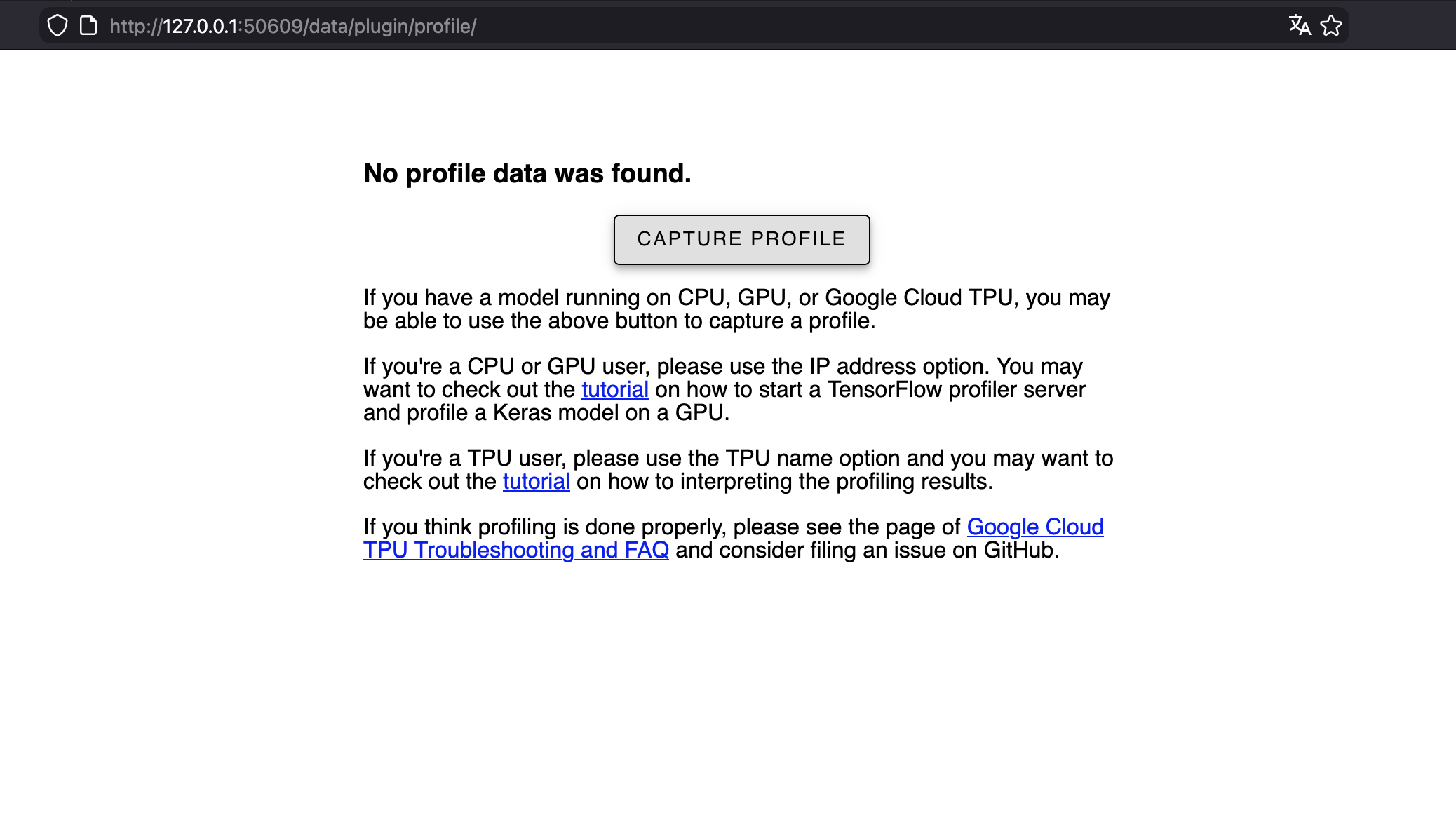
Now you can access it in your browser: