Questo documento descrive come eseguire il deployment di XProf in una configurazione distribuita su Kubernetes, utilizzando deployment separati per i worker e un aggregatore.
Prerequisiti
- Un cluster Kubernetes. Per una configurazione minima in questo tutorial, utilizziamo minikube.
- Un'immagine Docker di XProf. Consulta Creazione di un'immagine Docker XProf per istruzioni su come crearne una.
Configurazione di Kubernetes
Le seguenti configurazioni YAML definiscono i servizi e i deployment Kubernetes per i worker XProf e un aggregatore.
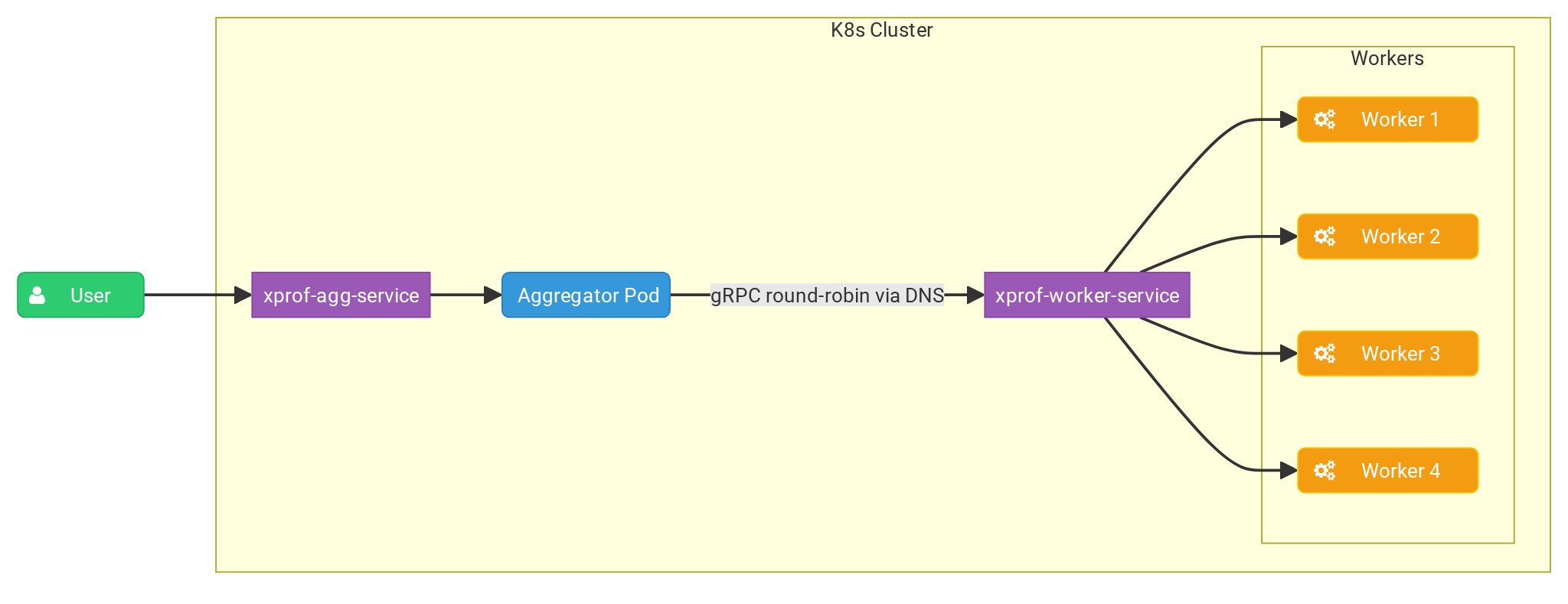
Il deployment dell'aggregatore esegue una singola replica che riceve le richieste degli utenti e
distribuisce le attività di profilazione alle repliche worker utilizzando una policy round robin.
Il flag --worker_service_address configura l'aggregatore per inviare richieste
al servizio worker.
Il deployment del worker esegue più repliche, ognuna delle quali espone una porta gRPC tramite il
flag --grpc_port per ascoltare le attività di elaborazione dell'aggregatore.
Aggregatore
Per prima cosa, creiamo il file agg.yaml e incolliamo i contenuti:
apiVersion: apps/v1
kind: Deployment
metadata:
  name: xprof-aggregator-deployment
  labels:
    app: xprof-aggregator-app
spec:
  replicas: 1
  selector:
    matchLabels:
      app: xprof-aggregator-app
  template:
    metadata:
      labels:
        app: xprof-aggregator-app
    spec:
      containers:
      - name: aggregator-container
        image: xprof:2.21.3
        imagePullPolicy: Never
        env:
        - name: GRPC_LB_POLICY
          value: "round_robin"
        - name: GRPC_DNS_RESOLVER
          value: "native"
        args:
          - "--port=10000"
          - "--worker_service_address=dns:///xprof-worker-service.default.svc.cluster.local:8891"
          - "-gp=50051"
          - "--hide_capture_profile_button"
        ports:
        - containerPort: 10000

---
apiVersion: v1
kind: Service
metadata:
  name: xprof-agg-service
  labels:
    app: xprof-aggregator-app
spec:
  selector:
    app: xprof-aggregator-app
  type: NodePort
  ports:
  - protocol: TCP
    port: 80
    targetPort: 10000
    nodePort: 30001
Worker
Per il worker creiamo il file worker.yaml:
apiVersion: apps/v1
kind: Deployment
metadata:
  name: xprof-worker-deployment
  labels:
    app: xprof-worker-app
spec:
  replicas: 4
  selector:
    matchLabels:
      app: xprof-worker-app
  template:
    metadata:
      labels:
        app: xprof-worker-app
    spec:
      containers:
      - name: worker-container
        image: xprof:2.21.3
        imagePullPolicy: Never
        args:
          - "--port=9999"
          - "-gp=8891"
          - "--hide_capture_profile_button"
        ports:
        - containerPort: 8891

---
apiVersion: v1
kind: Service
metadata:
  name: xprof-worker-service
  labels:
    app: xprof-worker-app
spec:
  selector:
    app: xprof-worker-app
  clusterIP: None
  ports:
  - protocol: TCP
    port: 80
    targetPort: 8891
Configurazione di minikube
Per eseguire il deployment della configurazione:
kubectl apply -f worker.yaml
kubectl apply -f agg.yaml
Dovresti essere in grado di ispezionare gli oggetti di cui è stato eseguito il deployment:
kubectl get services
NAME                   TYPE        CLUSTER-IP     EXTERNAL-IP   PORT(S)          AGE
kubernetes             ClusterIP   10.96.0.1      <none>        443/TCP          13h
xprof-agg-service      NodePort    10.96.13.172   <none>        8080:30001/TCP   13h
xprof-worker-service   ClusterIP   None           <none>        80/TCP           13h
Ora connettiamoci al nostro aggregatore:
minikube service xprof-agg-service --url
http://127.0.0.1:50609
❗  Because you are using a Docker driver on darwin, the terminal needs to be open to run it.
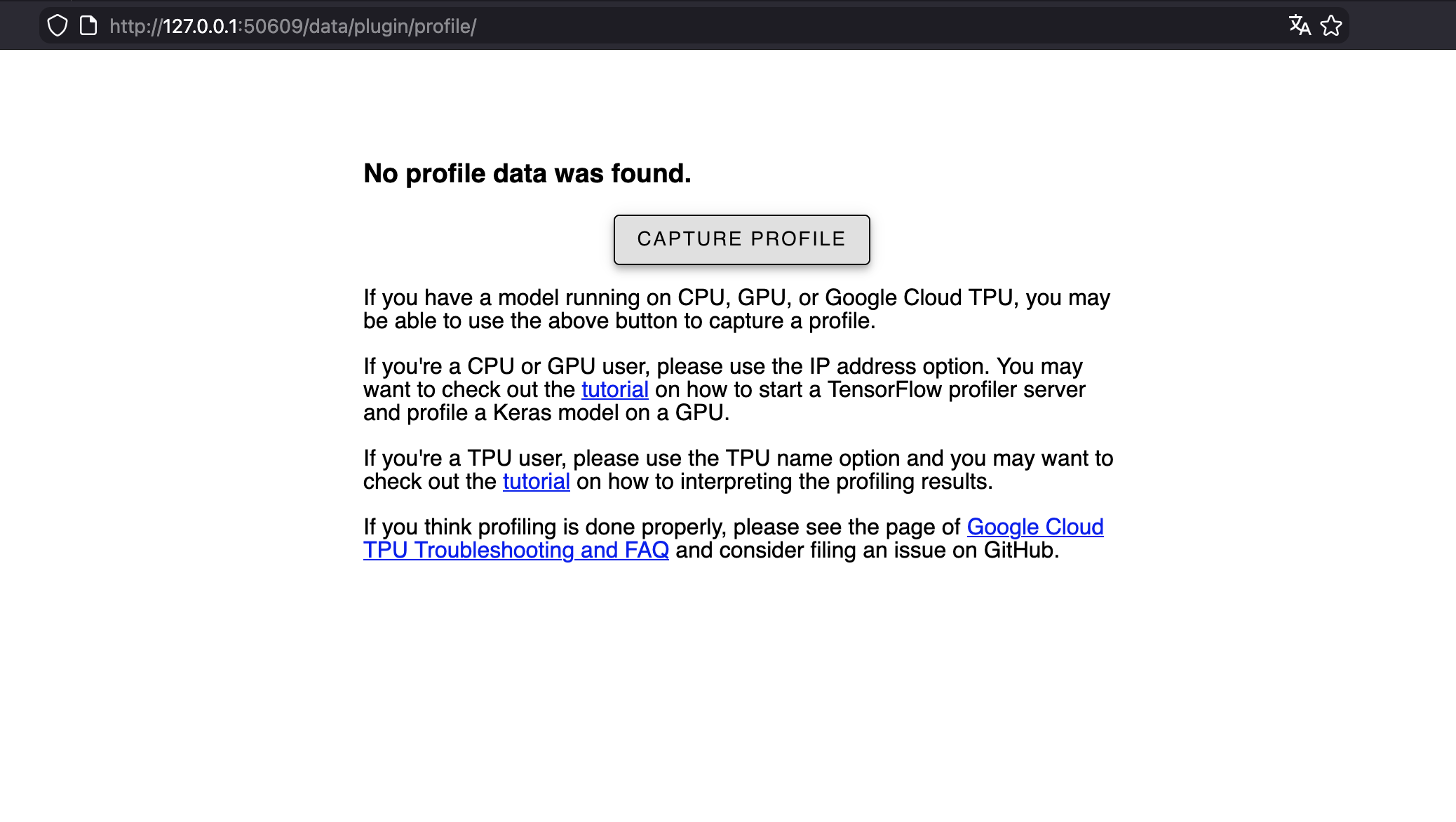
Ora puoi accedervi nel browser: